Build Internal Tools
on a Limitless Canvas

Orchestrate your team's workflow. Connect APIs, databases, and AI models into powerful, living dashboards and utilities.

Your new digital desktop.

Forget rigid dashboards. 1-OS gives you a zoomable, pannable canvas where your internal tools live. Place utilities, trackers, and data streams anywhere you need them to create the ultimate command center.

Backend included. Instant APIs.

Every tool you create comes with its own built-in, secure backend and API, generated automatically. Enjoy powerful access controls and data storage without any manual setup or configuration.
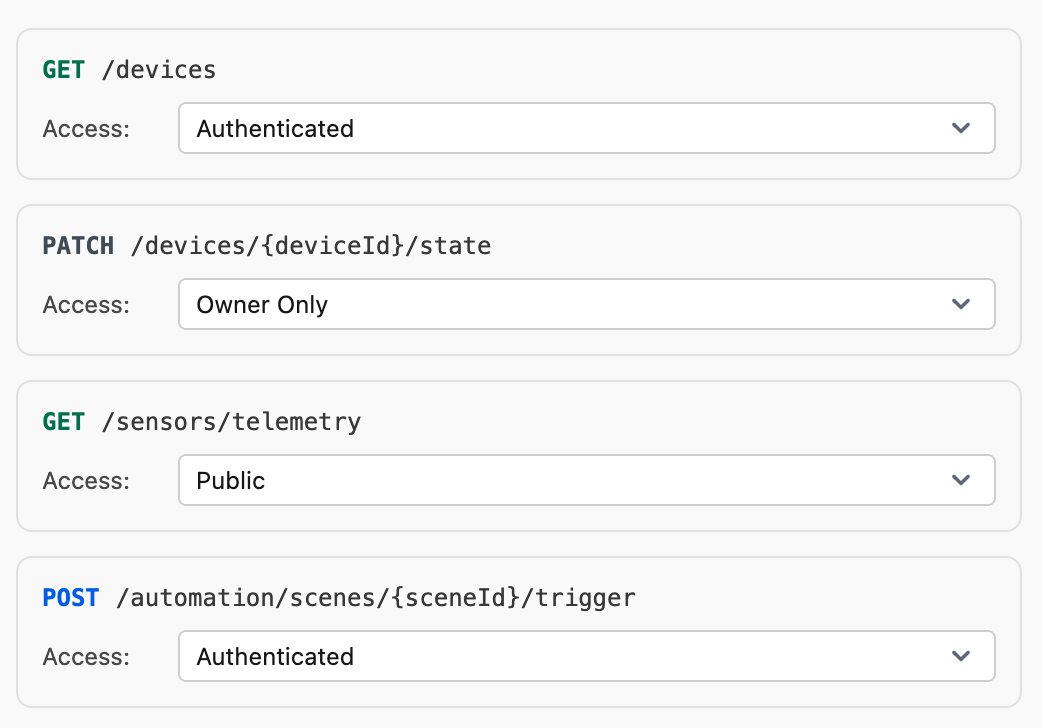
Backend and API illustration

Orchestrate with Events.

This is the nervous system of 1-OS. Visually connect your tools to establish data flows. When a "DataProcessed" event fires in one tool, it can instantly trigger a "UpdateDashboard" action in another. Create living ecosystems.

Deploy to your team.

Share your workspace or individual tools with your team instantly. Control access permissions and let your organization interact with the tools you've built without any complex deployment pipelines.

Use Cases

Built for builders like you

Operations Admin panels, process trackers, approval workflows, dashboards

You've been asking for that custom tool for how long now? Build the dashboard that actually helps, the tracker that doesn't make you scream, the workflow that follows your real process—not some consultant's idea of it. Connect your messy spreadsheets and APIs into one clean interface.
Features

Real tools for real work.

Every interface include powerful features out-of-the-box, so you can focus on building what matters most.

#1

Secure Access

Built-in role-based access control. Manage who on your team can view or edit your tools.

#2

Private Data

Every tool ships with its own secure datastore. Keep your sensitive internal data isolated and protected.

#3

AI-Native

Integrate LLMs directly into your workflows. Process text, analyze data, and automate decisions without glue code.

#4

Asset Library

Store and serve documents, images, and internal resources securely within your workspace.

#5

System History

Track every change to your tools. Revert to previous versions if a deployment breaks a workflow.

#6

Team Deployment

Deploy tools to your organization instantly. No CI/CD pipelines, just click publish and your team has access.

Pricing

Simple, transparent pricing

Start building your internal tools today, scale as your team grows

Free

Start creating with AI No credit card required

$0 / Year
150 monthly credits
10 apps, 15 images, or 20 AI research reports
  • Access to all AI models
  • Build apps on visual canvas
  • Connect tiles into workflows
  • Browse template library
  • Commercial license included

Starter

For creators building regularly Bring your ideas to life with AI

$15 / Month
1,500 monthly credits
100 apps, 150 images, or 200 AI research reports
billed annually
  • Everything in Free, plus
  • 10x more credits
  • Top up at $10 for 1,000 credits
Most popular

Professional

Build faster with automation Perfect for daily creators

$29 / Month
4,000 monthly credits
300 apps, 400 images, or 500 AI research reports
billed annually
  • Everything in Starter, plus
  • 27x more credits than Free
  • 3-month credit rollover
  • Top up at $10 for 1,200 credits (+20%)

Team

For agencies and teams Collaborate at scale

$39 / User / Month
4,500 monthly credits / user
300 apps, 450 images, or 600 AI research reports (per seat)
billed annually
  • Everything in Pro, plus
  • Shared workspace canvases
  • Unified team billing
  • Pooled credit system
  • Team credits management

Need a custom team plan?

We offer custom pricing for teams and enterprises. Get dedicated support and tailored solutions for your organization.

FAQ

Frequently asked questions

What is 1‑OS?

1‑OS is an operating system for your internal tools. It provides a limitless canvas where you can build, orchestrate, and deploy custom utilities, dashboards, and workflows for your team without managing infrastructure.

How is this different from Retool or other internal tool builders?

Most builders force you into rigid grid layouts. 1‑OS uses a spatial Canvas metaphor. Your tools live side-by-side in a 2D workspace, allowing you to visually connect them and orchestrate complex workflows where data flows from one tool to another via events.

Do I need to code?

No. You can describe the tool you need in plain English, and the system generates the initial code. For power users, every tool is fully editable with standard JavaScript/TypeScript, allowing for limitless customization.

How does orchestration work?

Tools communicate via Events. For example, a "Stripe Refund" tool can emit a "RefundSuccess" event, which triggers a "Send Email" tool and a "Slack Notification" tool. You define these connections visually on the canvas.

Can I connect to my internal API/Database?

Yes. 1‑OS tools can make standard fetch requests to any accessible API endpoint. You can also integrate with your existing PostgreSQL databases or leverage our built-in secure datastores for new projects.

Orchestrate Your Team's Workflow

Stop building fragile scripts and isolated dashboards. Connect your internal tools on a unified canvas that evolves with your business.